
When it comes to creative design software, Amadine has built a strong reputation for delivering powerful vector drawing tools in a package that feels approachable and enjoyable to use. Whether you are a graphic designer, illustrator, hobbyist, or someone just getting started with digital art, the offerings from Amadine are designed to help you bring ideas to life with clarity and precision. This article explains what is special about Amadine, what you can find on its website, and how it differs from other brands in the creative software space.
What You Can Do with Amadine
At its core, Amadine is a vector graphics editor that helps creators design illustrations, icons, logos, UI mockups, and other visual compositions. Vector graphics are based on mathematical curves and shapes, so designs created in Amadine can be scaled up or down without losing quality. This makes the app especially valuable for projects where clarity and flexibility matter, such as branding, print design, and user interface elements.

Users of Amadine can:
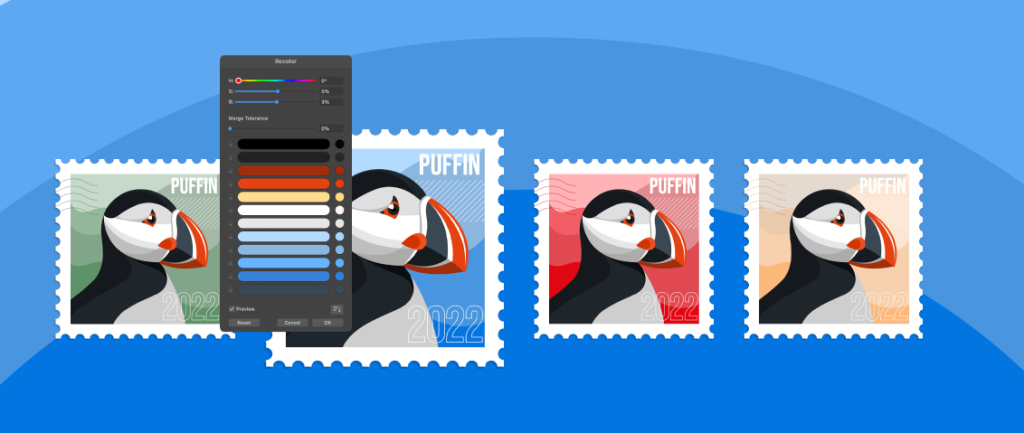
- Draw with precision using customizable vector tools
- Use shapes, lines, and curves to build complex designs
- Work with layers to organize elements effectively
- Apply colors, gradients, and shadows for visual depth
- Export art in various scalable formats for use in different media
These capabilities make Amadine suitable for both simple sketches and elaborate compositions.
What You Will Find on the Amadine Website
Visiting the online presence of Amadine gives you a clear picture of what the software offers and how it can serve your creative goals. The homepage highlights key features of the app, supported by visuals that show the interface and sample artwork. This makes it easy to understand what you can achieve before even downloading or purchasing the product.
On the Amadine website, you’ll find:
- Comprehensive feature breakdowns that explain tools and options
- Gallery examples showcasing what users have created
- Tutorials and guides to help you get started quickly
- Download links for supported platforms
- Information about pricing and licensing
- Support resources for troubleshooting and questions
The layout of the site itself reflects the design‑centric nature of the product, with clean visuals and organized sections that help you find what you need.
How Amadine Works for Creators
One of the key strengths of Amadine is how it balances power and ease of use. Unlike some professional vector editors that can feel overwhelming to newcomers, Amadine presents tools in a way that is intuitive without sacrificing advanced capabilities. Beginners can start with basic shapes and lines, while experienced designers can take advantage of more precise controls.
The app’s interface supports smooth workflows with features like:
- Live previews of edits to see changes instantly
- Smart guides for accurate alignment and spacing
- Layer management for organizing complex compositions
- Keyboard shortcuts for faster design work
This thoughtful approach means users can focus on creativity instead of struggling with confusing menus or steep learning curves.
How Amadine Differs From Other Brands
While there are many vector drawing tools on the market, Amadine stands out in several significant ways:
User‑Friendly Design
Many professional design apps require extensive training before you can use them comfortably. Amadine is built with accessibility in mind, making it suitable for both beginners and experienced users. Tools are clearly labeled, and workflows feel natural.
Affordable Access Without Sacrificing Quality
Unlike some competitors that come with high subscription costs or complicated pricing structures, Amadine offers a straightforward purchase model. This makes high‑quality vector drawing more accessible to a broader audience.
Focus on Vector Precision
While many graphic editors support both raster and vector graphics, Amadine specializes in vector design. This specialization means every tool and option is optimized for clarity, scalability, and flexibility.
Cross‑Platform Availability
Whether you work on a desktop or tablet, Amadine provides versions that fit your workflow. This flexibility ensures you can create wherever you feel most productive.

Why Creators Choose Amadine
People who choose Amadine often highlight how quickly they can start creating without feeling bogged down by complexity. The combination of precision tools, helpful guides, and a streamlined interface makes the creative process feel smooth and enjoyable. Many users find that tasks that used to take hours in other software can be completed more efficiently and with less frustration in Amadine.
Graphic designers appreciate the detailed control over shapes and layers. Illustrators enjoy the freedom to express ideas with clean lines and smooth curves. Students and hobbyists find that the learning curve is gentle enough to support growth and experimentation. Across a variety of use cases, Amadine gives users the tools they need to create high‑quality vector art.
Final Thoughts on Amadine in the Creative Software Mix
As digital design becomes more integral to both personal and professional projects, tools that offer both precision and accessibility are increasingly valuable. Amadine has positioned itself as a vector drawing app that supports a wide range of users without demanding extensive technical expertise.
The website provides clear information, sample work, and support resources to help users make the most of the software. Compared to other brands that may focus on complexity or high price tags, Amadine brings powerful vector design into the hands of creatives everywhere. Whether you are designing icons, logos, illustrations, or layout elements, Amadine offers the tools you need to do it with confidence and clarity.